01
We adopt the venue
We team up with the venue’s AV crew and bring their screens into one plan with ours.
More info about Venue adoptionFrom the venue’s own screens to LED walls and our temporary displays. We plan them with you, install them on site and keep them live all day, side by side with your event team and the venue.
You don’t get a login and a manual. You get a crew that joins your event team, knows the venue, and owns every screen from the first walkthrough to the last session.
We team up with the venue’s AV crew and bring their screens into one plan with ours.
More info about Venue adoptionEvery screen mapped before your designers start. Every asset planned per day and slot.
More info about Mapping and planningOur media players go on any screen, LED wall or processor with HDMI. Connected over WiFi or SIM.
More info about On site installationOn site all event long. A new speaker, a full room, a late sponsor: changed in seconds.
More info about Live content and standbyMost venues run their own screens for branding and F&B. Often we don’t get direct access to their system, and that is fine. We work closely with their team instead: they schedule straight from our plan, and we keep both sides up to date all event long.
Do we get access? Even better. Then we run their screens ourselves.
How venue adoption worksWe work with all kinds of content, side by side with your design team or agency. We map the venue before they even start, so they design for the right sizes from day one. They deliver, we plan it, make it technically right for every screen and manage it until the last session.
No design team? We design and animate it for you.
Not just a loop of slides. We push content that changes with the day: the agenda moves along, the next session shows the speaker, timers count down, and the crowd gets sent where there is room.
We keep the plan in our own tool, built from years on the event floor. Everyone involved gets access: see what plays where, check a screen, and comment on anything. When we can’t access the venue’s system, their team schedules straight from it.
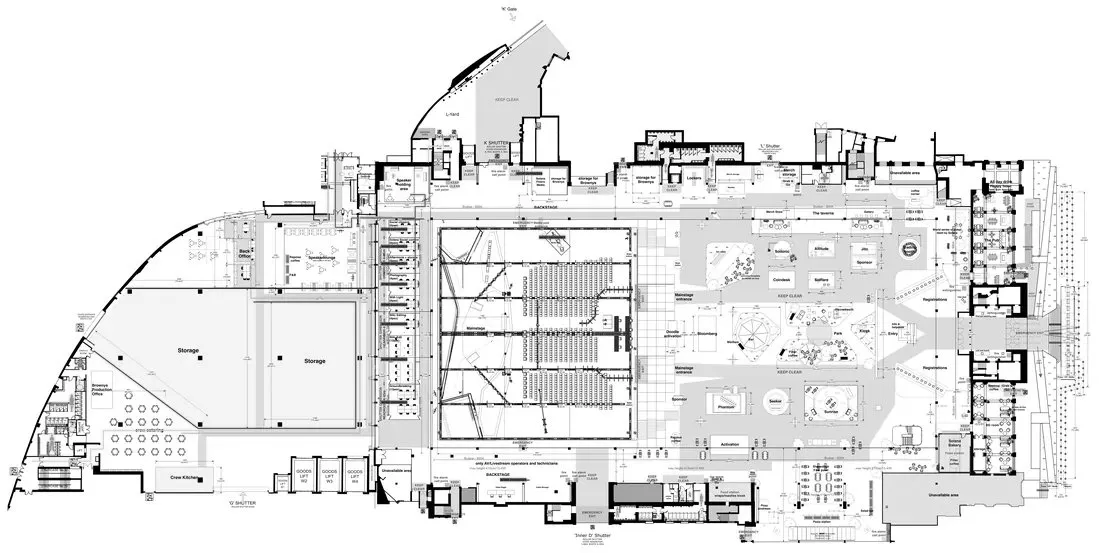
Click any dot to see the screen and what should play on it. Demo data.
| Screen | Venue code | Day 1 | Day 2 | Status |
|---|---|---|---|---|
| L0_4 | GH-ENT-2 | DS-101 | DS-102 | ✓Processed |
| L0_9 | HALL2-F-1 | DS-142-V2was DS-142 | DS-142 | ✓Processed |
| EXT_07 | BAR-3 | DS-131 | DS-132 | ✓Processed |
| LED_2 | GH-N-LED | DS-120 | DS-120 | ✓Processed |
| EXT_14 | REG-1 | DS-150 | OFF | ✓Processed |
A screen can be online and still show the wrong thing. So our engineer walks the venue. The phone keeps suggesting the best route past the screens and shows what each one should be playing, so every screen is confirmed on the spot.
YouOur media players connect to any display, LED wall or processor over HDMI, and go online over WiFi or a SIM. So we keep control of every screen, wherever it stands.
Content made for every screen size, from portrait totems to wide LED walls.
Extra displays delivered, placed and connected where the venue has none.
Through our parent company Livestream Facilities.
The questions we ask every venue before an event. Use it for your next one, with or without us.
We send you the link and may follow up once. See our privacy statement.
We join your event team and take over all screens: mapping them, planning content per day, installing media players where needed, and running every display live with a crew on site.
No. Venues often don’t give direct access, and that makes sense. We work closely with their team: they schedule from our plan and read along in our tool, so both sides are always up to date. If we do get access, we run their screens ourselves.
Everybody involved. Your team, the venue team and our crew all read along live, and can comment on any screen or issue.
Both work. Usually your designers or agency create it. We map the venue before they start, so they get every size, orientation and LED mapping template from us. Then we check, convert, plan and run it. No design team? We design and animate it for you.
Live content that follows the day: a moving agenda, the next session with the speaker’s photo, countdown timers, wayfinding that changes per hour and room is full messages.
Any display, LED wall or LED processor with an HDMI input. Our media players connect over WiFi or SIM.
Worldwide, with events in Abu Dhabi, Amsterdam, London, Barcelona, Rome and Seville. Our base is in Beverwijk, the Netherlands.
Send us the venue and the dates. We reply within one working day.